For vibe coders who've felt the chaos
Your AI is
making a mess.
Kozo fixes it.
Most AI agents create technical debt as fast as they generate code. Scan your repo for violations like God files, security risks, and missing envs — then get the exact prompts to make your AI clean up its act.
✓ No login needed ✓ Code never leaves your browser ✓ Results in 60 seconds
The real problem
The Spaghetti Spiral is real.
The bigger your project gets, the more your AI forgets. Every session it rewrites what you just fixed. Every week the codebase gets harder to maintain.
AI Amnesia
Your agent has no memory. Every new chat it rediscovers your architecture from scratch — and makes the same mistakes again.
500-Line Monsters
One component becomes a 1,200-line god file. Your AI can't reason about it, can't refactor it, and keeps making it worse.
Leaked Secrets
Hardcoded API keys and credentials scattered through your codebase. One public commit away from a very bad day.
Zero Test Coverage
Your AI ships fast. Nobody writes tests. Then one refactor breaks everything and you have no idea where or why.
Sound familiar?
You know something's
wrong. You just can't
quite pin it down.
The code ships. The features work. But something's getting harder. Your AI is less reliable than it was three months ago. Sessions that used to take an hour now take a day. You're spending more time correcting your agent than directing it.
This isn't bad luck. It's a structural problem that compounds quietly until it isn't quiet anymore.
"I just fixed this."
You told your AI to stop doing something last Tuesday. This Tuesday it's doing it again. Different chat, fresh context window — three sessions of careful work quietly undone. You fix it again. Next week, same thing.
"Let me just add one more thing…"
It was 200 lines when you started. Then a few features, some edge cases, a refactor that never quite finished. Now it's 1,400 lines and your AI is guessing at what half of it does. You're scared to touch it.
"Wait — is that in the repo?"
You were moving fast. The API key went in temporarily. Weeks passed. You pushed to GitHub. The "temporary" fix is now public, in your commit history, permanently. Maybe nobody noticed. Probably.
Without Kozo Core — then with it.
// same codebase. same AI. different context.



Your agent just knows.
No prompt engineering. No rules pasted into chat. Kozo Core lives in your repo — your AI reads it automatically, every session, in every tool.
The scan
A health score for
your codebase.
Drop your zip. In 60 seconds you get a real score, real violations, and a repair prompt for every single one.
Upload your zip
Zip your project and drop it. Your source code is analysed entirely in your browser — only metadata ever leaves your machine.
Code never leaves your browserSee your health score
Get a 0–100 debt score with a full breakdown: oversized files, test coverage, secret leaks, folder depth, and an AI summary of your project.
Real violations. Real impact.Get your AI guardrails
Pay once to unlock the full report — fix prompts for every violation, plus a personalised AGENTS.md constitution that stops your AI repeating the same mistakes.
Permanent AI guardrails
Give your AI a brain that sticks.
Kozo Core is a set of files that live in your repo. Every AI agent that touches your project reads them automatically — the rules, the memory, the architecture — without you saying a word.
It's not a plugin. It's not a prompt you paste every session. It's a permanent layer of intelligence, generated from your actual codebase, that travels with your code.
Your AI's rulebook
Core Laws enforced on every prompt — file size limits, modular structure, no hardcoded secrets. Works in Cursor, Windsurf, Lovable, Bolt, v0. One file, every tool.
IDE-level guardrails
Five rule files automatically loaded by Cursor and Windsurf on every session. Architecture, security, testing, patterns, context — all enforced without lifting a finger.
Context that survives every chat
A structured memory layer lives directly in your repo. Your agent reads it at the start of every session — no more re-explaining your architecture from scratch.
Rules enforced file by file
A lightweight header added to every source file — a per-file reminder that anchors your AI to the Core Laws even deep in a long session.
After Kozo Core is installed
// no instructions given. no rules pasted.
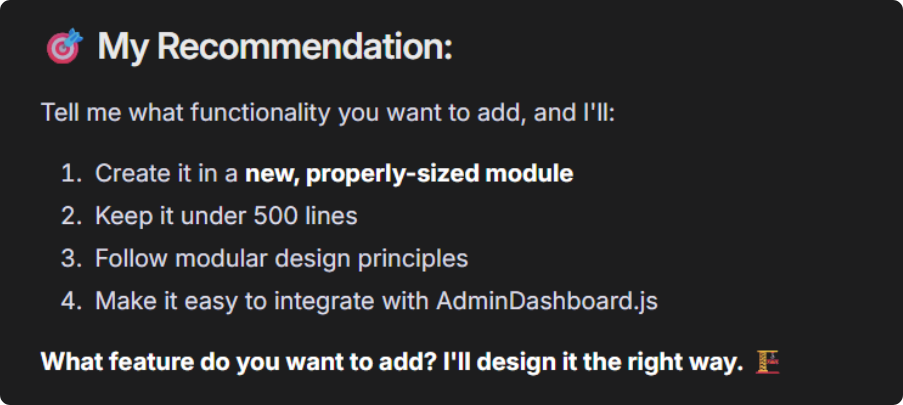
Your AI, already briefed.
No prompts. No repetitive rules. Kozo Core lives where your code does, giving every AI tool a built-in understanding of your project from day one.
Simple pricing
Scan free.
Own it when you're ready.
No subscriptions. No recurring charges. Scan free — pay once for permanent AI guardrails.
Scan
No sign-up needed
See exactly what's wrong with your codebase before committing to anything.
Scan + Core
Per repo · no subscription
Full report with fix prompts for every issue, plus permanent AI guardrails generated from your actual codebase.
No subscriptions, ever. Every purchase is a one-time payment. Your Core files are yours to keep and use with any AI tool — forever.
Privacy
Your code stays
on your machine.
Processed in your browser
Your zip is opened and analysed entirely client-side. Raw source code never leaves your machine and is never stored on our servers — only the resulting metrics are used.
Numbers, never code
Kozo measures file paths, line counts, and structural patterns. It never reads your business logic, your algorithms, or your secrets. It can't — by design.
Verify it yourself
The scanner that analyses your codebase is fully open source. Read exactly what it does, line by line, before you run it on anything.
Kozo-ScannerReady?
Find out what's
actually wrong.
The scan is free. No form, no waitlist, no credit card. Drop your zip and get your score in 60 seconds.
Scan your codebase free✓ Free forever · ✓ No credit card · ✓ Code stays in your browser